
Building with AI is fast.
Approval is still slow.
Pastel solves that. Share one link, get comments with no account needed, and your agent pushes the fix.

usepastel.com/agents
Drop what your agent made
ZIPLandingPage.zip
HTMLindex.html
Origin
1984
LOCATIONSMENU
Coffee
3
DesignerCapitalize and use orange
2
ManagerRemove these two
4
DeveloperLocations and menu missing
1
CEOI want it to be in a clean grid
0 commentsVersion 1BrowseCommentFinish review
> pull the pastel feedback and fix it
4 comments on LandingPage
Fixing design.
Done :)
Works with

Cursor

Claude

ChatGPT
and more
TRUSTED BY TEAMS AT






Problem
You’re building things faster than you can get them approved
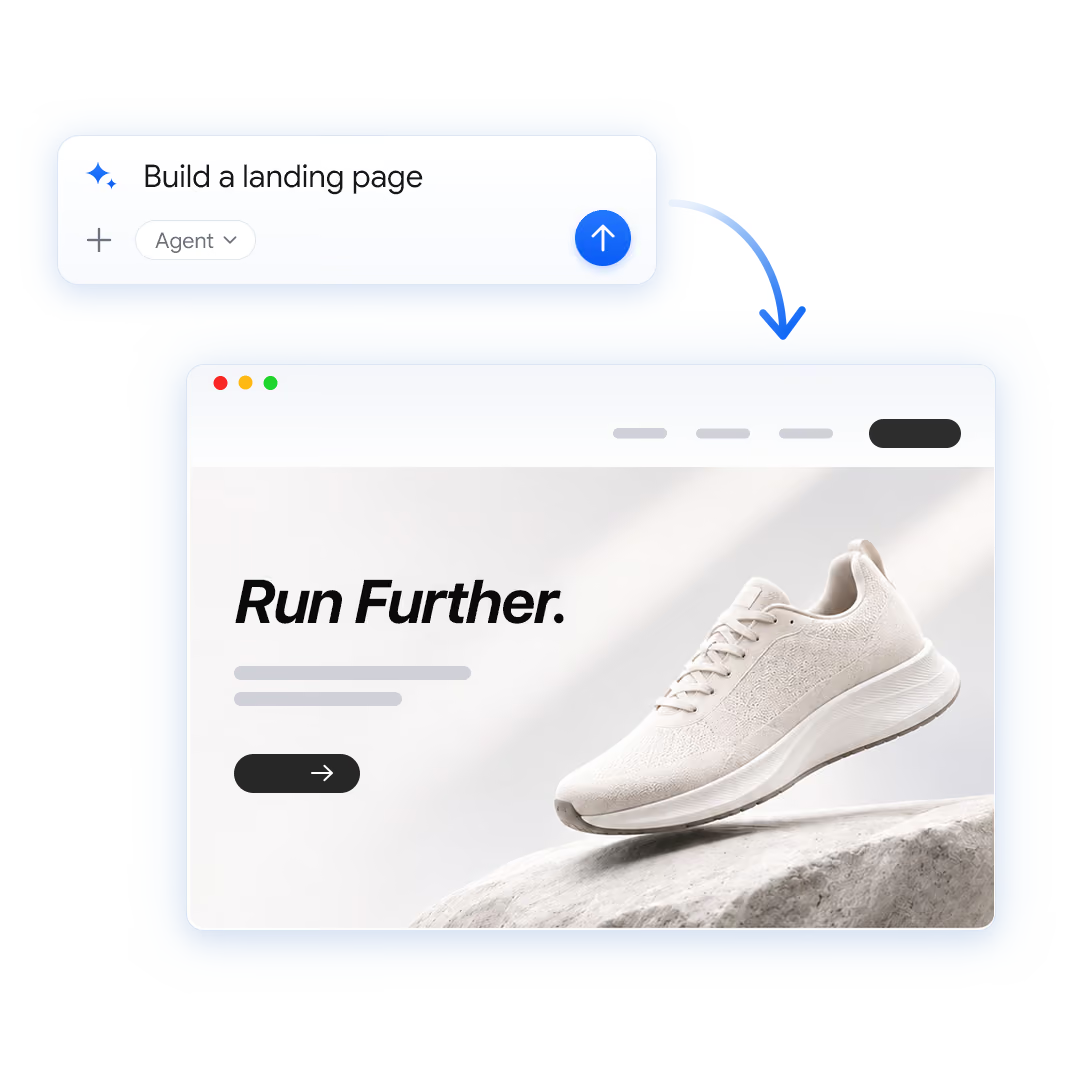
Building used to be the bottleneck. Now your agent can build it in 5 minutes.
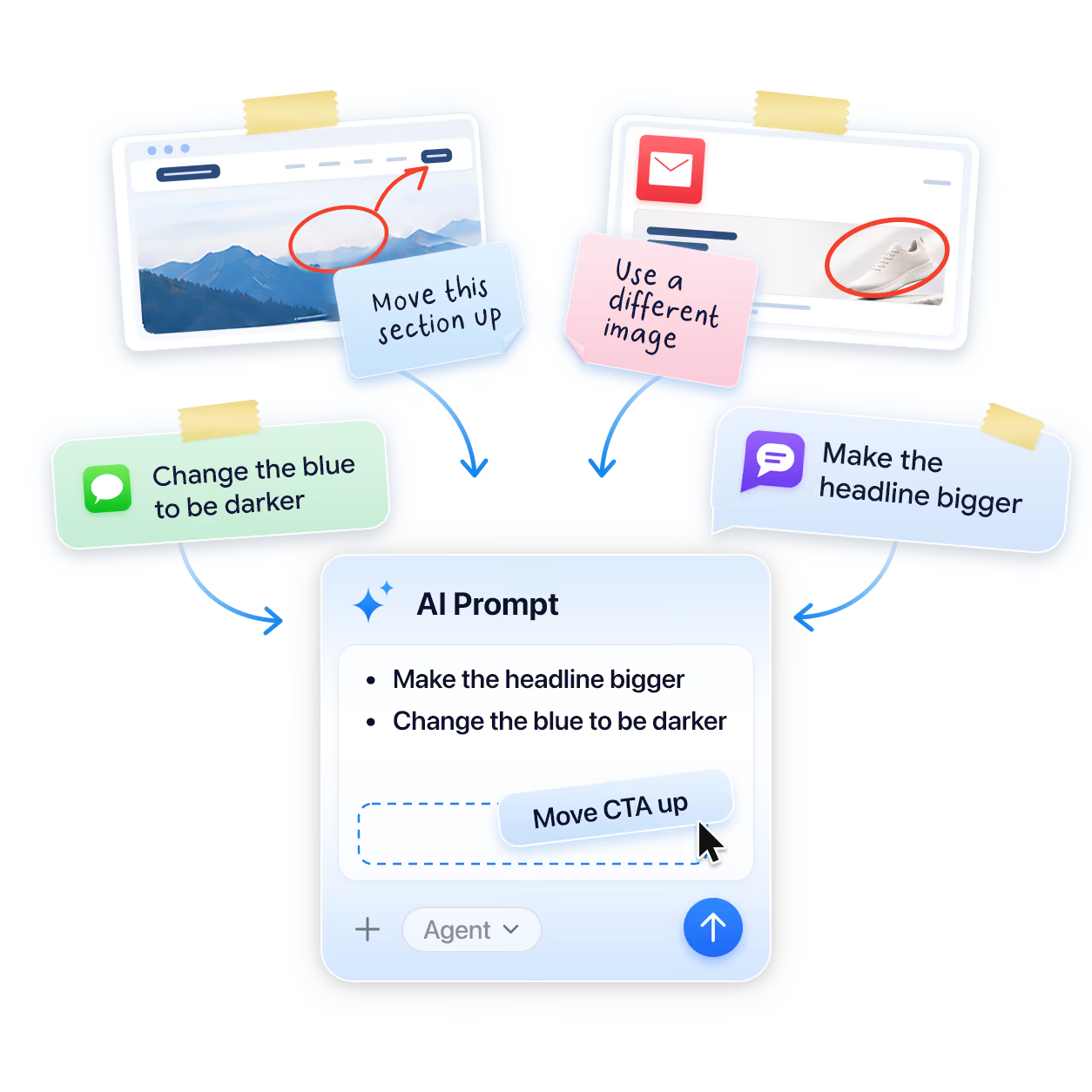
But you’re still waiting for days on feedback. Then you have to manually prompt your agent.
How it works
“Now I can go as fast as my agent.”

Anh Nguyen
Creative Brand Consultant
Step 1
Connect your agent
Connect Pastel to your agent in seconds and upload what you built with one command.
Step 2
Share the link
Send a shareable link to your team, manager, or client. They open it and comment in context. No account needed.
Step 3
Action feedback
Ask your agent to triage the feedback or action it directly. It gets all the context it needs and uploads a new version when it's ready.
Works with what your agent can build
Your agent likes to build in HTML. Pastel can handle that.

Landing pages

Interactive prototypes

Proposals and reports

Presentations

Wireframes and mockups

Emails
Pastel also handles live websites, images, videos and PDFs.
One tool covers your entire project.
One tool covers your entire project.
6 ways Pastel makes project approvals a breeze

Unlimited reviewers
Invite as many colleagues & clients with any of our plans.

No login needed
Just hop on your canvas and start sharing feedback.

Supports multiple users
See real-time updates, comments and private team only comments.

Schedule deadlines for feedback
Align with your team and keep them focused on each iteration.

Test responsiveness in seconds
Make sure your designs look right on every screen.

Edit copy in real time
Make changes with just a click.
Trusted By 1000s of Customers
You’re 2 clicks away from getting feedback on your projects

Connect to your agent seamlessly.
No login needed. Start collaborating instantly.
No training and demo videos needed for your team.
Your questions, answered
Do reviewers need an account?
No, anyone can comment and leave feedback without an account. Just share a link to the Pastel canvas to get started.
Do I need to host or deploy my website first?
No, your agent can upload it directly to Pastel. You then get a link you can share with anyone for feedback that your agent will be able to read and act on. If you already host your website somewhere, you can also use Pastel with the live site - just paste in the URL when creating a canvas.
How does Pastel connect to my agent?
Pastel can connect to your agent either using our MCP server or our CLI tool. The best option to use depends on your agent. You can learn more here or just share that link and ask your agent for help setting it up.
Who can see what I upload?
You’re in complete control of who sees what you upload. Pastel canvases are visible to anyone with the link by default. However, you can password protect your canvases or set them to be visible only by your team or even only to you.
What files can I upload?
Pastel supports most things your agent can build. You can upload landing pages and other HTML content, images, videos, PDFs, and marketing emails. You can also use Pastel with live websites.
Which AI agents does Pastel work with?
Pastel works most agents, including Claude, ChatGPT, Codex, Cursor, Replit, and more. As long as your agent supports MCP servers or has access to a CLI, you can use Pastel. You can learn more here or just share that link and ask your agent for help setting it up.
Does my agent change things without me?
No, you always need to ask your agent to action feedback in order for it to do anything. Depending on your agent’s permissions, it may ask before taking any actions, but Pastel will never prompt your agent to do anything without your input.
Got more questions?
Check out our help center!
Your questions, answered

Do reviewers need an account?
No, anyone can comment and leave feedback without an account. Just share a link to the Pastel canvas to get started.
What files can I upload?
Pastel supports most things your agent can build. You can upload landing pages and other HTML content, images, videos, PDFs, and marketing emails. You can also use Pastel with live websites.
Do I need to host or deploy my website first?
No, your agent can upload it directly to Pastel. You then get a link you can share with anyone for feedback that your agent will be able to read and act on. If you already host your website somewhere, you can also use Pastel with the live site - just paste in the URL when creating a canvas.
Which AI agents does Pastel work with?
Pastel works most agents, including Claude, ChatGPT, Codex, Cursor, Replit, and more. As long as your agent supports MCP servers or has access to a CLI, you can use Pastel. You can learn more here or just share that link and ask your agent for help setting it up.
How does Pastel connect to my agent?
Pastel can connect to your agent either using our MCP server or our CLI tool. The best option to use depends on your agent. You can learn more here or just share that link and ask your agent for help setting it up.
Does my agent change things without me?
No, you always need to ask your agent to action feedback in order for it to do anything. Depending on your agent’s permissions, it may ask before taking any actions, but Pastel will never prompt your agent to do anything without your input.
Who can see what I upload?
You’re in complete control of who sees what you upload. Pastel canvases are visible to anyone with the link by default. However, you can password protect your canvases or set them to be visible only by your team or even only to you.

