.png)



We've been busy. Over the past couple of months, the team has shipped a lot - from small quality-of-life improvements to features you've been asking for directly. Here's a full look at everything that's new in Pastel.
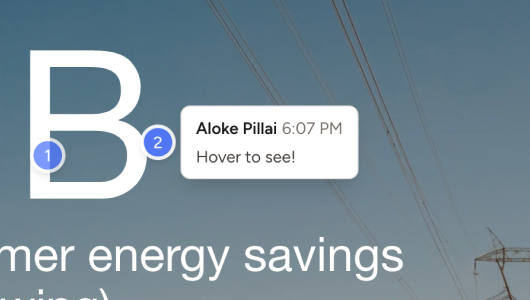
Hover Preview for Comments
You can now hover over comment pins to get a quick preview of what the comment is about - no need to open the sidebar. When you want the full details, just click the comment as usual. It's a small change that makes scanning feedback a lot faster, especially on canvases with a lot of pins.
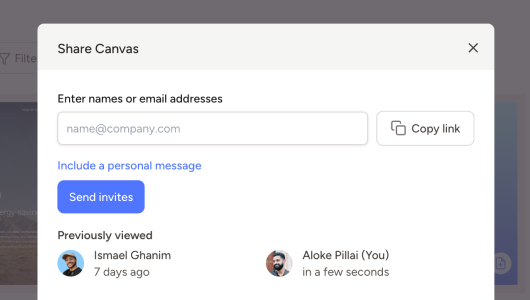
Previously Viewed for Canvases
Ever shared a canvas and spent the next few days wondering if anyone actually opened it? Now you don't have to. In the Share modal, you can see exactly who's viewed a canvas and when they last opened it. No more follow-up emails asking "did you get a chance to look at this?" - you'll know.
Emoji Reactions on Comments 👍🥳
Sometimes a comment just needs a thumbs up, not a whole reply. You can now add emoji reactions to comments and replies - a quick way to acknowledge feedback, signal agreement, or just let your team know you've seen something without cluttering the thread.

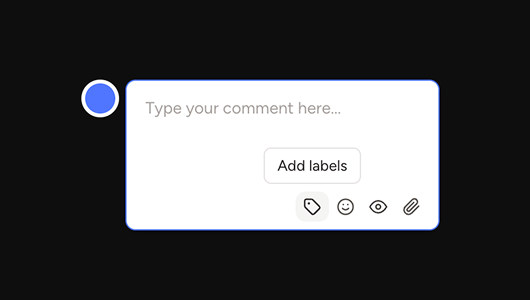
Add Labels on Comment Creation
Based on your feedback, you can now add a label when creating a new comment - right from the start, without any extra steps. If you've been adding labels after the fact, this one will save you a click (and a lot of time across hundreds of comments).
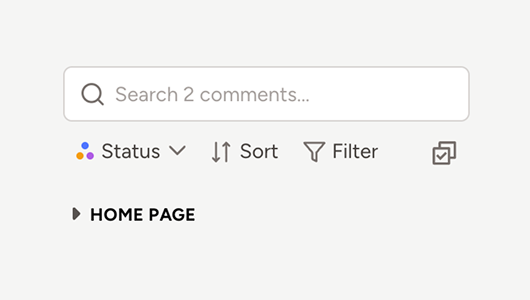
Collapsible Comments in the Sidebar
We already group comments by page, but now you can collapse all comments on a page to keep things more organized. If you're working through feedback on a specific section and don't want to scroll past everything else, this makes it much easier to focus on what needs to get done.
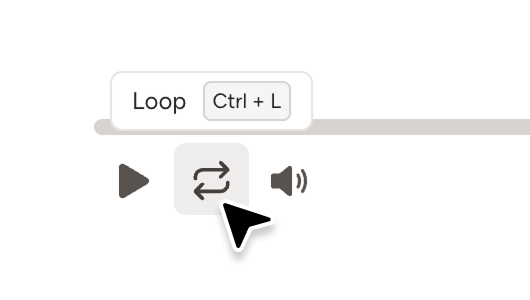
Video Playback Shortcuts
Reviewing videos in Pastel just got faster. We've added keyboard shortcuts for playback control - things like skipping forward 1 second, toggling mute, looping, and more. Once you get used to them, you'll never want to go back to clicking. You can see the full list of available shortcuts in our help center.
Google Sign-In
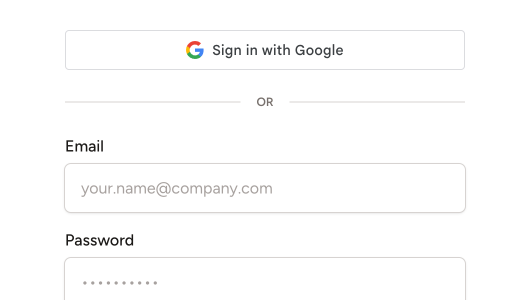
You can now use your Google account to sign in to Pastel — one less password to remember. If you'd like to switch from your current email and password login, you can enable Google sign-in in your Profile Settings.
👉 Try out all these features today
.png)